 Swiftly
 What’s new in Jetpack Compose
 Intro to Large Language Models
Search Saved
Find anything you kept, or narrow it to Videos, Articles or Notes.

A learning inbox for the videos and articles you save. Play through it in two minutes.
Free beta on TestFlight · iPhone with iOS 18 or later
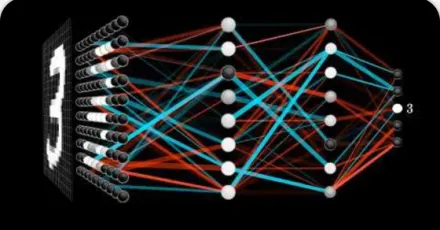
But what is a neural network? | Deep learning chapter 1
 But what is a neural network?youtube.com
3 items left
Digest
Who thinks
API key Paste your key
Today
How Swiftly works
Real recordings from the app. The trail draws as you scroll, the way your Journey draws your day. Pick your phone and every clip follows.
Captured
Tap Share in YouTube, Safari, Chrome or any app and pick Swiftly. The link lands at the top of your Inbox.
SavedArchived
Right keeps a link in Saved. Left archives it. Undo brings back the last one, and a quick flick counts too.
Digested
Open a kept link and ask for a Digest: the gist of the page, made only when you ask. With no model set up, it keeps the page’s own words and says so.
Now
Each day becomes a winding trail, like this one, of what you saved, read and digested. No streaks, no scores.
The small things
Find anything you kept, or narrow it to Videos, Articles or Notes.
Jot what to remember on any link. Dictation runs on the phone.
Swiftly suggests them from your Topics. You keep or change them.
Siri and Shortcuts on iPhone, system assistants on Android, can save a link, search Saved or list your Inbox. They never read your notes.
Undo brings back your last swipe. Review archived returns what you let go. Mark a link finished when you’re done.
Who thinks
Pick one in Profile and switch any time. If a model can’t answer, the Rules fill in.
The model built into supported phones. On iPhone, turn on Apple Intelligence.
Stays on your phoneTitles and page text
Bring your own API key. Pick one to see where your words go.
Stays on your phoneYour notes
Sent to OpenAITitles, links, tags, your Topics and goals, page textBilled by OpenAI, not your ChatGPT plan.
Matches your Topics word for word. Nothing to set up.
Stays on your phoneTitles, links and page descriptions
Where it runs
In testing now, not on Google Play yet. Ask by email and you’ll hear when it opens.
Tell me when it’s readyPrivate by design